Introduction
Whether it’s tackling my USAMTS competition problems or that one stubborn Calculus homework question, Wolfram Alpha is genuinely great. I remember plugging in a really complex two-variable system of equations once, and it just solved it. Now, as a mathematician, I’ll admit that might count as shortcutting — but when a system is truly unsolvable by hand, bashing at it endlessly isn’t productive either. And as my appreciation for Wolfram grew, I applied to become a Wolfram Student Ambassador. Back in September, I interviewed with the team and got in!
This article isn’t meant to be a deep dive — I mostly want to highlight some cool things you can do with Wolfram notebooks. Recently I posted an article on Wolfram Community summarizing my physics research and the properties of pendulums you can model with Wolfram. That article earned me a Featured Contributor badge, so I thought it was worth talking about here.
Mathematica
Mathematica is Wolfram’s mathematical computation language, widely used by professionals across STEM. What sets it apart from other tools is that it applies intelligent automation throughout — from selecting the right algorithm to formatting plots and designing user interfaces.
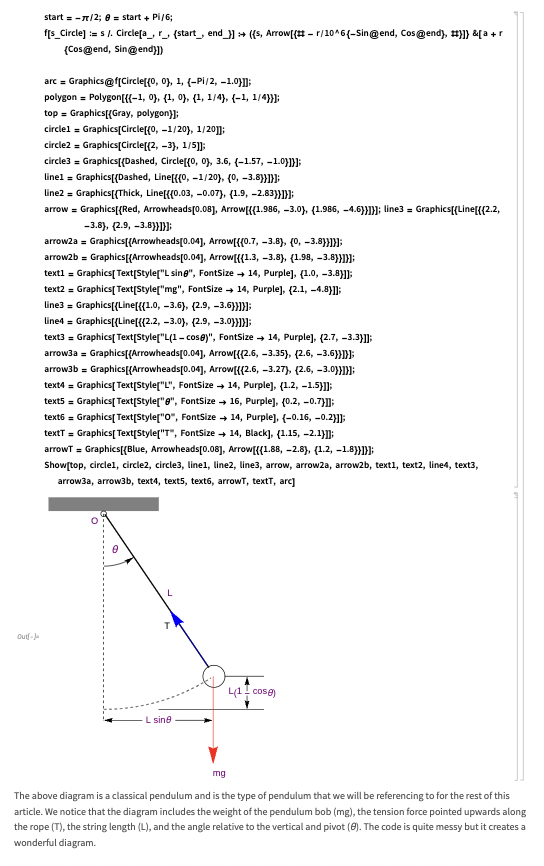
For my Wolfram Community article, I built a pendulum diagram entirely in Mathematica. The code might look intimidating at first glance, but a lot of Mathematica is surprisingly readable — you’re essentially describing what you want in plain terms. I’m specifying which line goes where, how high a circle sits, and so on. The implementation isn’t too advanced, which makes it genuinely beginner-friendly.
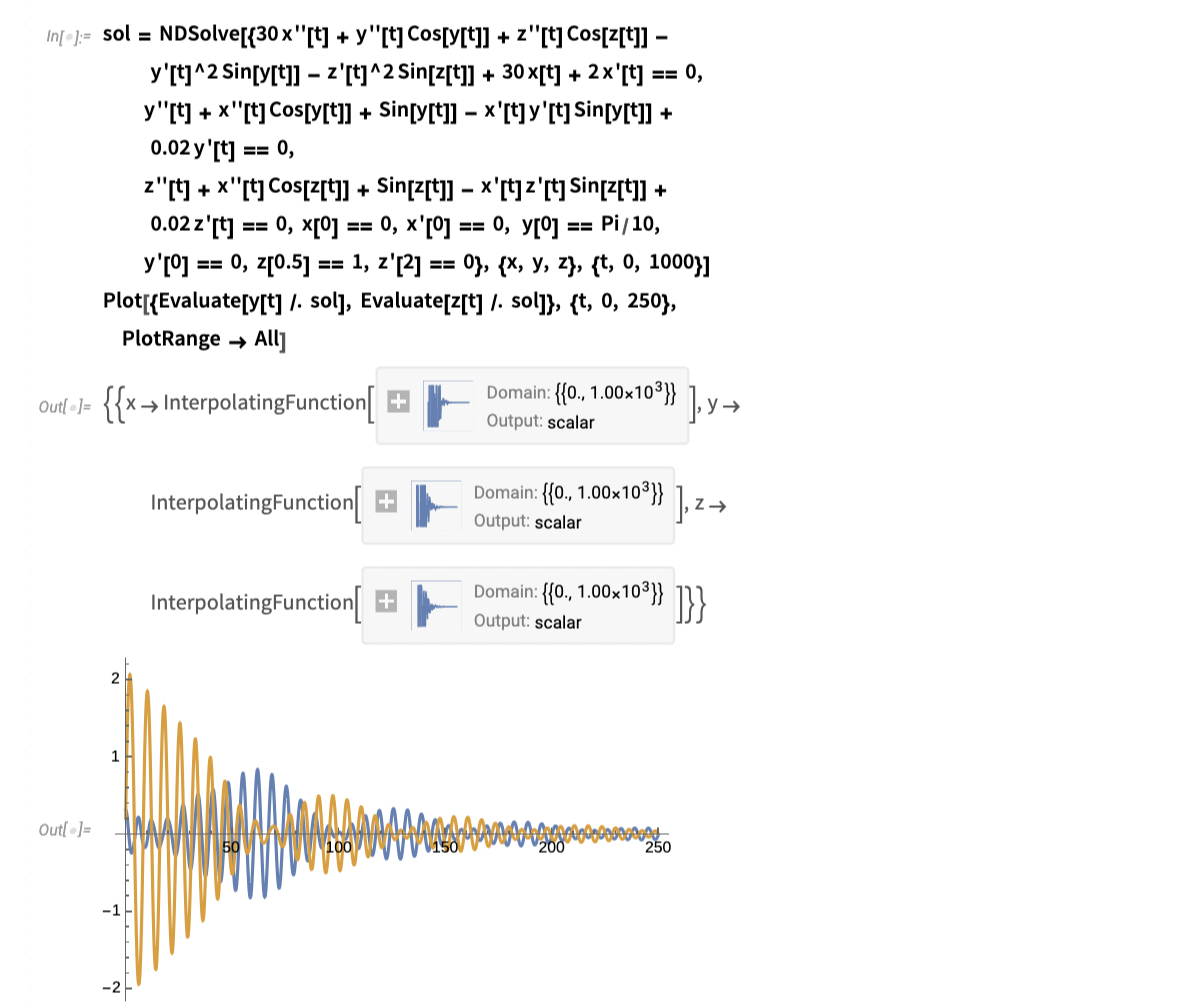
Another block I used in the article might look dense, but for anyone familiar with advanced physics, it’s really just a rewritten Euler-Lagrange equation. I wanted to graph the solutions to a Lagrangian motion equation, and a standard graphing tool like Desmos simply can’t handle that — so Mathematica was the natural choice.
If you want to check out my full article, you can find it here!
Wolfram Alpha
As a prize for placing in the USAMTS competition, I received a year-long subscription to both Wolfram Alpha Pro and Mathematica — pretty nice! Wolfram Alpha is especially useful for those equations that would take forever to solve by hand. Here’s a problem from Year 33 of USAMTS to illustrate:
Problem: Let $x$ and $y$ be distinct real numbers such that
\[(1)\quad \sqrt{x^2+1}+\sqrt{y^2+1}=2021x+2021y\]Find with proof
\[(2)\quad (x+\sqrt{x^2+1})(y+\sqrt{y^2+1})\]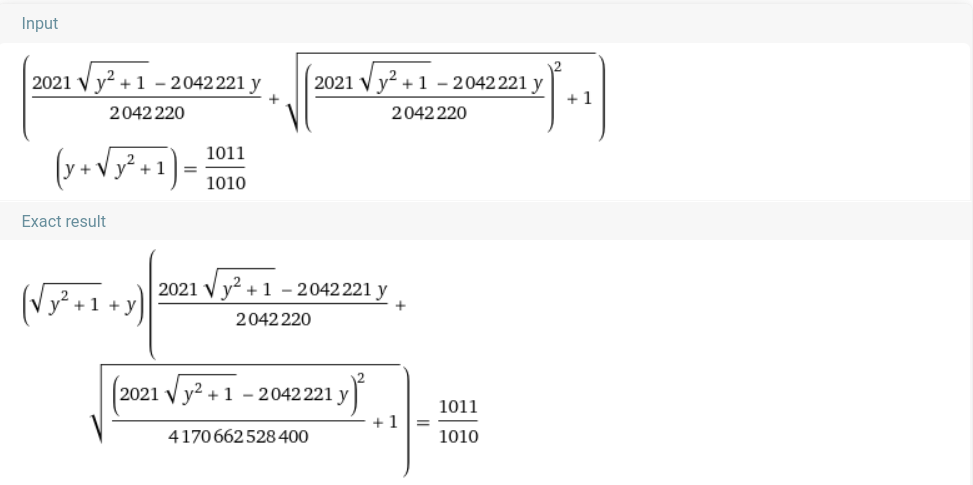
After substituting equation 1 into equation 2, plugging it into Wolfram Alpha gave us the answer right away. I’m sure there’s a more elegant approach, but it’s a great way to check your work. I currently have Wolfram Premium, which is particularly helpful for things like triple integrals — it walks you through the steps so you actually understand the solution rather than just getting an answer. If you’re a math-interested student, though, I’d encourage you to try placing in USAMTS first — it’s a great way to earn access without paying for a subscription!
Wolfram Player
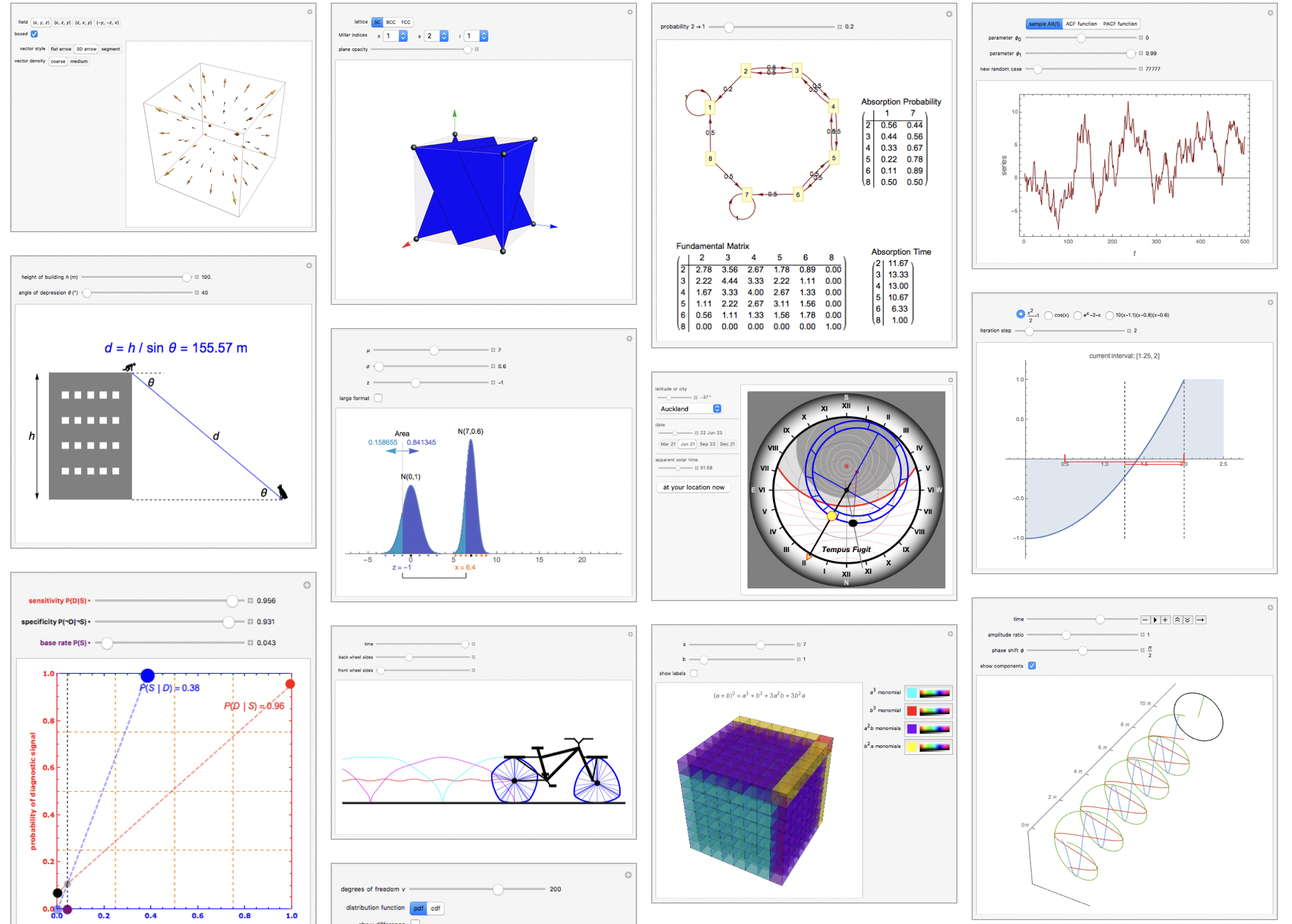
One more thing worth mentioning before I wrap up: Wolfram Player. I used it during my research project as a way to build animations and simulations in Wolfram Language. Other software options either cost money or eat up a lot of storage, so Wolfram Player was a great alternative. There’s a whole archive of community-made demonstrations on the Wolfram website, and some of them are incredibly intricate — well worth exploring.
Conclusion
Wolfram is genuinely impressive, and learning Mathematica or Wolfram Language will be useful whether you’re a student, a researcher, or just someone who enjoys solving hard problems. Wolfram has plenty of practice guides online, and working through any of them will give you a solid foundation. Stay tuned for the next article!